Trying to understand Piratebay Proxy can feel confusing, especially when one page says it works, another page looks unsafe, and you’re not sure what’s actually real. You may only want a clear answer, but proxy and mirror sites often come with mixed claims, redirects, ads, and safety concerns that make everything harder to trust.
Piratebay Proxy is a third-party gateway that may route access to The Pirate Bay when the main site is blocked or unavailable. It can look helpful, but proxy and mirror pages may carry legal, privacy, malware, and tracking risks, so this guide breaks down how they work, what to avoid, and which safer alternatives make more sense.
Piratebay Proxy Explained in Simple Terms

A Piratebay Proxy is a third-party page that may act like a doorway to The Pirate Bay when the main site is blocked, down, or restricted in a certain region. Instead of reaching the original domain directly, your browser may load a proxy or mirror page that tries to show similar content through a different route.
That sounds simple, but it comes with serious caution. Proxy pages are not always official, stable, or safe. Some may be filled with fake buttons, tracking scripts, aggressive ads, or misleading download links, so it’s better to understand how they work before trusting any page that claims to give access.
Quick Definition
A Piratebay Proxy is a third-party access point that may route or mirror The Pirate Bay, but it can carry privacy, malware, and legal risks.
The Pirate Bay and Its Role in Torrent Search
The Pirate Bay, often called TPB, is known as a torrent indexing platform. It does not work like a normal download website where one central server stores every file. Instead, it helps users find torrent files or magnet links that connect through peer-to-peer file-sharing networks.
This is why the platform became so widely discussed online. It connects terms like BitTorrent, magnet links, seeders, leechers, torrent clients, and file-sharing communities in one place. At the same time, it has also faced repeated blocks, legal pressure, and safety concerns because torrent platforms can include copyrighted or unsafe files.
Brief History of The Pirate Bay
The Pirate Bay started in 2003 and became one of the most recognized names in torrent search. Over the years, it faced domain changes, legal disputes, takedown pressure, and regional blocks, which is one reason proxy and mirror pages became common around the platform.
Why It Became So Popular
The Pirate Bay became popular because it offered a simple search layout, many content categories, magnet links, and community signals like seeders, leechers, comments, and uploader reputation. For many users, it felt easier to browse than scattered file-sharing pages, but that convenience also came with real safety and legal concerns.
Proxy, Mirror Site, and Original Domain Differences
A proxy, a mirror site, and an original domain are not the same thing. They may look similar to a regular visitor, but they work differently behind the scenes. Knowing the difference helps you avoid trusting random pages just because they look familiar.
The safest way to think about it is simple: the original domain is the main known site, a proxy acts like a middle layer, and a mirror is usually a copied version of the site layout or database. None of these options automatically makes a page safe, legal, private, or trustworthy.
| Term | Meaning | Main Risk | Best Way to Treat It |
| Proxy | Routes your access through another server | Fake pages, tracking, ads, redirects | Use caution and verify carefully |
| Mirror Site | A copied or cloned version of a website | Malware, outdated pages, fake buttons | Do not trust only because it looks familiar |
| Original Domain | The main known website address | May be blocked or unavailable | Check legality and safety before using |
| Legal Alternative | Official or licensed source for content | Usually fewer risks | Best choice for most users |
To understand how servers, hosting layers, and online access systems work, the Droven.io cloud computing guide gives helpful background in simple terms.
Main Reasons The Pirate Bay Gets Blocked
The Pirate Bay gets blocked in many places because of copyright enforcement, court orders, ISP-level restrictions, DNS filtering, and regional internet policies. In some cases, an internet provider may block access to the main domain. In other cases, a school, workplace, or public Wi-Fi network may restrict torrent-related pages.
These blocks do not always mean the same thing in every country. Some regions treat torrent indexing sites more strictly than others, especially when copyrighted movies, software, music, games, or shows are involved. That is why you should avoid assuming that access is safe or legal just because a proxy page opens on your device.
Legal Risks Behind Torrent Proxy Access

The biggest legal issue is not the proxy itself; it is what you access, download, or share through it. Torrenting technology can be used for legal files, such as open-source software or public domain media, but downloading or sharing copyrighted material without permission can create legal trouble. The U.S. Copyright Office states that uploading or downloading copyrighted works without permission can infringe the copyright owner’s rights.
This is where many users make a mistake. A Piratebay Proxy may feel like a simple workaround, but it does not remove copyright rules, privacy risks, or responsibility for your activity. Before opening torrent-related pages or downloading anything, check your local laws, avoid copyrighted files, and use official sources whenever possible.
According to the U.S. Copyright Office, uploading or downloading copyrighted works without permission can infringe the copyright owner’s rights, so you should always check whether the file is legal before using any torrent-related page.
Common Dangers Found on Public Proxy Pages
Public proxy pages can look useful at first, but many of them are not built with your safety in mind. Some are created only to collect traffic, push ads, redirect users, or trick visitors into clicking fake download buttons.
The biggest problem is that a page can look like a real Pirate Bay mirror while still being unsafe. A familiar layout does not prove that the site is trustworthy, updated, private, or free from harmful scripts.
Common risks include
- Fake download buttons that open ads or malware pages
- Pop-ups that push browser notifications or suspicious extensions
- Redirects that send you to unrelated or adult pages
- Phishing forms asking for registration or payment details
- Malware hidden inside fake software installers
- Tracking scripts that collect browser and device details
- HTTP-only pages with no secure connection
- Cloned layouts made to look like trusted torrent pages
Gaming-related proxy pages can also lead to fake downloads, so Revolvertech Gaming is a better internal guide for safer gaming information.
Safe Browsing Basics Before Opening Torrent-Related Pages
Before you open any torrent-related page, treat it like a risky website. Keep your browser updated, use reliable antivirus protection, avoid unknown browser extensions, and never allow notification permissions from a page you do not fully trust.
You should also avoid downloading random installers, “unlock” tools, codec packs, or files that ask for extra software before they work. If a page pushes you to install something before showing basic content, that is a strong warning sign.
Helpful safety habits
- Keep your browser and operating system updated
- Use antivirus or built-in malware protection
- Avoid clicking large flashy download buttons
- Do not allow notification permissions
- Avoid pages asking for registration just to browse
- Close the tab if redirects keep happening
- Do not enter personal, payment, or login details
- Prefer official sources for software and media.
For more practical browsing and device safety tips, Tech Hacks PBLinuxGaming can help you understand safer online habits before visiting risky pages.
Proxy List Status Table Template
Many sites publish a Pirate Bay proxy list with columns like status, speed, uptime, and region. The problem is that these details can change quickly. A proxy that looks active today may be offline, hijacked, redirected, or unsafe tomorrow.
A safer approach is to use a status table as an explanation tool, not as a promise that a certain page is working. This helps readers understand how proxy lists are usually presented without trusting random links blindly.
| Proxy Type | Status | Speed | Risk Level | Notes |
| Original source | Check manually | Varies | Medium | May be blocked in some regions |
| Public proxy | Unstable | Varies | High | Can contain ads, redirects, or tracking |
| Mirror page | Unstable | Varies | High | May copy the layout but still be unsafe |
| Private network tool | Depends on provider | Varies | Medium | Does not guarantee legal or safe downloads |
| Legal alternative | Stable | Usually reliable | Low | Best option for most users |
Important note: Proxy and mirror availability can change quickly. Always verify from trusted sources before clicking links, downloading files, signing up, or sharing personal information.
Site Verification Steps Before Trusting Any List
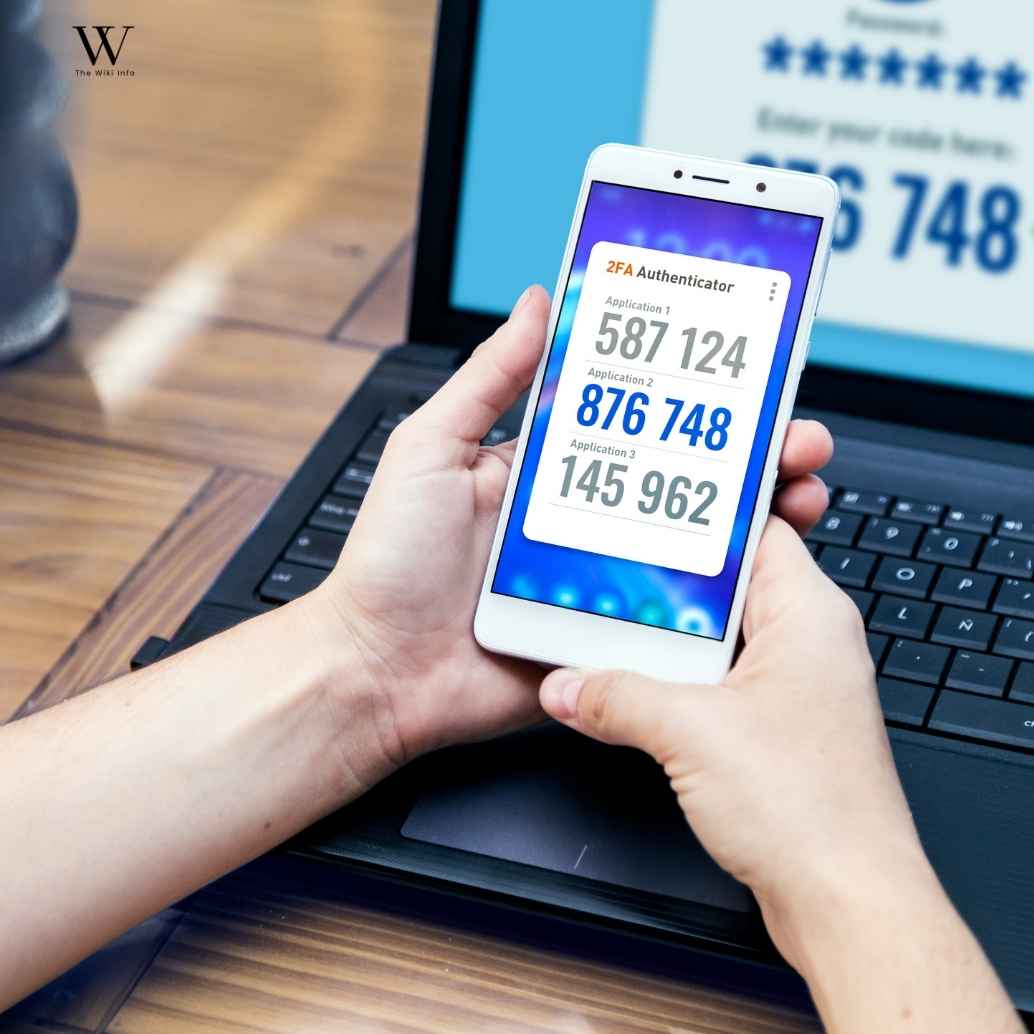
Not every proxy list is created to help you. Some pages are built to rank quickly, collect clicks, or send visitors to risky mirrors. Before trusting any list, check the page carefully and look for signs that something feels off.
A safe-looking design is not enough. You should check the URL, connection type, page behavior, ads, spelling, forced downloads, and whether the page asks for unnecessary permissions.
Use this quick verification process
- Check the URL carefully for misspellings or strange domain names.
- Look for HTTPS, but remember HTTPS alone does not prove safety.
- Avoid any page that asks you to install software to continue.
- Do not trust pages with aggressive pop-ups or forced redirects.
- Check whether the page asks for sign-up, payment, or personal details.
- Leave immediately if a file downloads without your permission.
- Search for reputation warnings before trusting unknown domains.
- Prefer legal and official sources when the content is available there.
When checking unknown websites, BenchInfo can be added as a helpful internal guide for understanding online tools and information pages more carefully.
VPN, DNS, Tor, and Proxy Tools in Plain English
VPNs, DNS settings, Tor, and proxy tools are often mentioned together, but they do different things. A proxy may route web access through another server, DNS changes may help resolve blocked domains differently, and a VPN may encrypt traffic between your device and the VPN server.
None of these tools makes unsafe activity automatically safe. They may improve privacy in certain situations, but they do not remove malware risks, copyright rules, fake download traps, or the need to verify what you are clicking.
What a VPN Can Help With
A VPN can hide your real IP address from some websites, encrypt traffic between your device and the VPN provider, and reduce exposure on unsafe public Wi-Fi. It may also help with certain regional blocks, but the quality depends on the provider, settings, and local rules.
What a VPN Cannot Guarantee
A VPN cannot guarantee complete anonymity, cannot make copyrighted downloads legal, and cannot protect you from every fake file, phishing page, or malware script. If you click a harmful link or install a dangerous file, a VPN alone will not save your device.
DNS Changes vs Proxy Access
Changing DNS can sometimes help when a domain is blocked through DNS filtering, while a proxy routes access through another server. DNS does not encrypt your whole connection, and a proxy does not automatically protect your privacy, so both should be understood carefully.
Torrent File Safety Checklist
Torrent files can carry risks even when the page itself looks normal. A file name, comment section, or high seeder count does not guarantee that the download is safe, legal, or exactly what it claims to be.
Before opening anything, slow down and check the file type, uploader reputation, comments, size, and download behavior. If a file asks you to install an unknown player, crack tool, password unlocker, or extra extension, it is better to leave it alone.
Use this quick safety checklist
- Check the file extension before opening it.
- Avoid random .exe, .bat, .scr, or unknown installer files.
- Read comments carefully for malware warnings.
- Compare file size with what the file should realistically be.
- Avoid torrents with strange names or broken spelling.
- Be careful with password-protected archives.
- Scan files with trusted antivirus software.
- Do not trust “required codec” or “unlock tool” messages.
- Avoid files from unknown or suspicious uploaders.
- Choose official downloads when software is available from the developer.
If you also want a safer and smoother device setup for daily browsing, the TheLaptopAdviser Buyer Guide can help you choose better hardware.
Better Legal Alternatives to Pirate Bay Proxy Searches
The safer option is to look for legal sources first. If you want movies, shows, software, games, books, music, or learning material, there are often official platforms, public domain libraries, open-source repositories, free trials, creator stores, and library apps that do not expose you to the same level of risk.
This approach saves you from many common problems connected with proxy pages, including malware, fake buttons, unstable domains, privacy leaks, and copyright issues. It may not always feel as quick, but it is usually more reliable and much safer for your device and personal information.
Safer places to check include
- Official software developer websites
- Open-source repositories
- Public domain media libraries
- Legal streaming platforms
- Library apps and digital lending services
- Creator marketplaces
- Game publisher stores
- Free legal music and audiobook platforms
- Educational resource websites
- Official app stores
If your main interest is gaming updates, Lightniteone New Version for PC is a safer guide to explore before visiting risky download pages.
If your main interest is gaming, TheLaptopAdviser Expert Gaming is a safer place to explore gaming-related guidance without relying on risky torrent pages.
Privacy, Cookies, Tracking, and Browser Fingerprinting Risks

Many proxy and mirror pages do more than show search results. They may load third-party ads, tracking scripts, cookies, pop-ups, fingerprinting tools, and redirects that collect details about your browser, device, screen size, location signals, and browsing behavior.
This is why privacy risk is not only about your IP address. A site can still collect technical details from your browser, push notification permissions, track clicks, or send you through ad networks. If a page feels aggressive, keeps opening new tabs, or asks for permissions it does not need, close it.
Common privacy risks include
- Cookies that follow browsing activity
- Third-party ad trackers
- Browser fingerprinting scripts
- Pop-up notification requests
- Redirect chains through unknown domains
- Data logging by public proxy operators
- IP exposure through unsafe connections
- Fake consent banners that lead to more ads
To learn more about how digital trends shape online privacy and modern platforms, Droven io future technology usa adds useful context.
Quick Safety Summary
A Piratebay Proxy may look like a simple workaround, but it should never be treated as automatically safe. Proxy and mirror pages can be unstable, unofficial, and risky, especially when they include aggressive ads, misleading buttons, malware downloads, or privacy tracking.
The safer decision is to understand how these pages work, avoid random proxy lists, verify every page carefully, and choose legal alternatives whenever possible. If you only need software, media, games, or learning material, official sources are usually the smarter path.
| Your Goal | Safer Direction |
| Understand the term | Learn the proxy and mirror difference first |
| Access blocked content | Check legal availability in your region |
| Avoid malware | Do not trust random download buttons |
| Protect privacy | Use safe browsing habits and avoid shady pages |
| Download software | Use official developer websites |
| Find media | Check legal streaming or public domain sources |
| Avoid fake sites | Verify URLs, comments, redirects, and permissions |
| Stay safer online | Avoid pages that force installs or sign-ups |
Final verdict: Piratebay Proxy pages are not worth trusting blindly. They may help explain how blocked torrent access works, but they also bring legal, privacy, and malware risks. For most readers, the better choice is to use verified, official, and legal sources instead of relying on unstable mirror pages.
Frequently Asked Questions
What is a Piratebay Proxy?
A Piratebay Proxy is a third-party access point that may route or mirror The Pirate Bay when the original site is blocked, restricted, or unavailable in a certain region.
Is Piratebay Proxy safe?
It is not always safe. Many proxy pages can contain fake download buttons, pop-ups, tracking scripts, redirects, phishing forms, or malware hidden inside files.
Is Piratebay Proxy legal?
That depends on your country and what you access or download. Torrenting legal files can be fine in many places, but downloading or sharing copyrighted material without permission can create legal problems.
Why does The Pirate Bay get blocked?
The Pirate Bay often gets blocked because of copyright complaints, court orders, ISP restrictions, DNS filtering, and regional rules around torrent-related websites.
What is the difference between a proxy and a mirror site?
A proxy routes your access through another server, while a mirror site usually copies the layout or content of another website on a different domain. Both can carry safety and privacy risks.
Do Pirate Bay proxies still work?
Some may work for a short time, but availability changes often. A page that works today may stop working, redirect somewhere unsafe, or become unreliable later.
Can Pirate Bay proxy sites contain malware?
Yes, some proxy pages or files linked from them can contain malware, fake installers, browser hijackers, or harmful scripts. Always avoid unknown downloads and scan files before opening them.
Do you need a VPN for Pirate Bay proxy access?
A VPN may help protect some parts of your connection, but it cannot make unsafe files safe or copyrighted downloads legal. It should not be treated as complete protection.
What are safer alternatives to Pirate Bay proxy sites?
Safer alternatives include legal streaming platforms, public domain libraries, open-source repositories, official software websites, creator marketplaces, and library apps.
What should you check before trusting a torrent-related page?
Check the URL, HTTPS status, redirects, pop-ups, forced downloads, sign-up requests, file extensions, comments, and reputation warnings before trusting any torrent-related page.
Conclusion
Piratebay Proxy may look like a quick way to reach The Pirate Bay when the main site is blocked, but it is not something you should trust blindly. Proxy and mirror pages can change fast, and some may include fake buttons, pop-ups, tracking scripts, malware, or misleading download links that put your privacy and device at risk.
The smarter approach is to understand how these pages work before clicking anything. Check the URL, avoid suspicious downloads, never share personal information, and remember that copyright rules still apply even if a proxy page opens. For most users, legal streaming platforms, public domain libraries, open-source repositories, official software websites, and trusted creator platforms are safer and more reliable choices.
The FTC malware protection guide warns against downloading free media from unfamiliar websites or peer-to-peer file-sharing pages, which is why you should avoid unknown downloads and scan files before opening them.

Welcome to TheWikiInfo! I am a digital content creator and researcher dedicated to breaking down complex topics into simple, actionable guides. With a deep passion for tech innovations, gaming updates, travel schedules, and pop culture trends, I aim to provide our readers with accurate, well-structured, and easy-to-understand information to solve their everyday queries.
1 thought on “Piratebay Proxy Guide 2026: 5 Safety Risks”